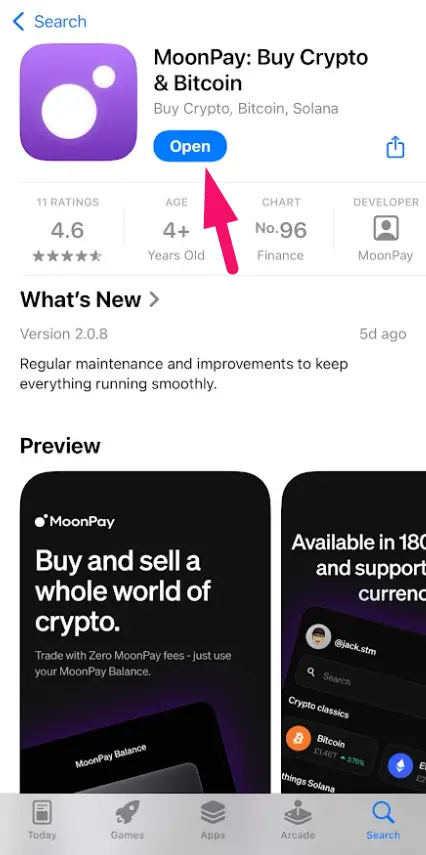
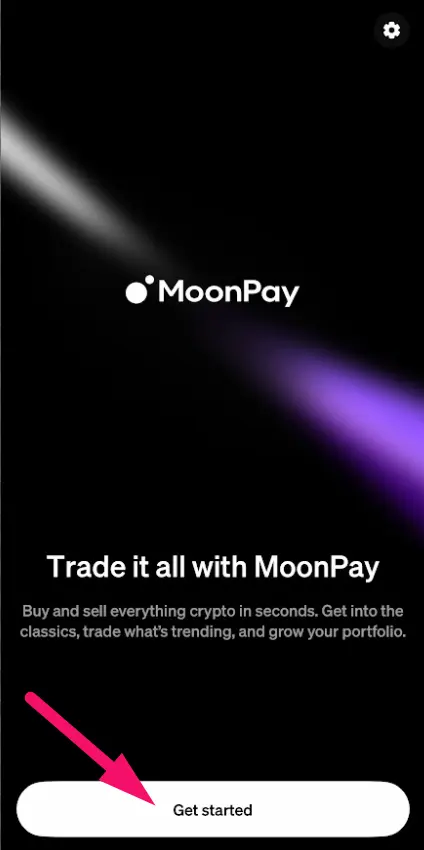
Go to the App store or Google store and download MoonPay app. Open it and press on Get Started.
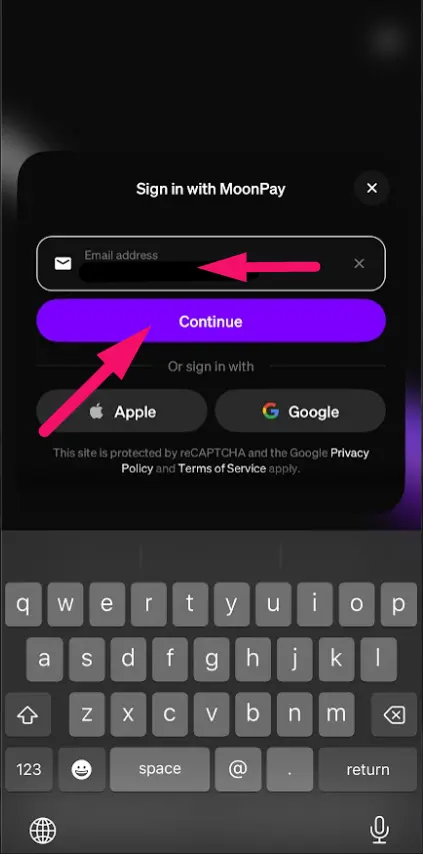
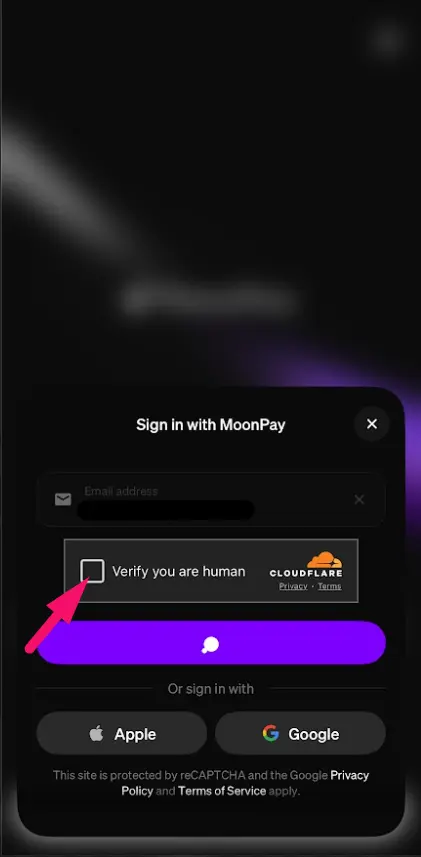
use your apple / google to access, or Enter your email and press on Continue. After that, press on the square Verify you are human.
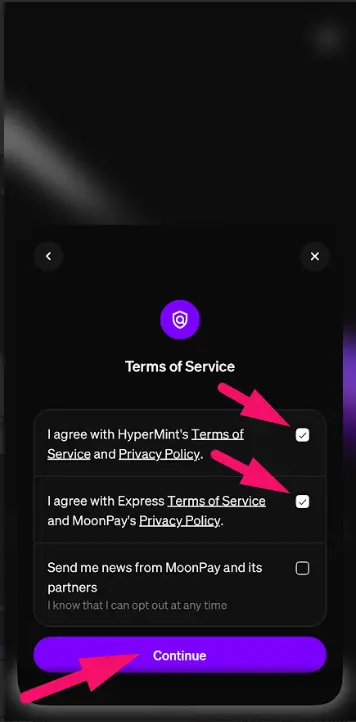
Press on each of to terms and conditions to agree, After that press on Continue.
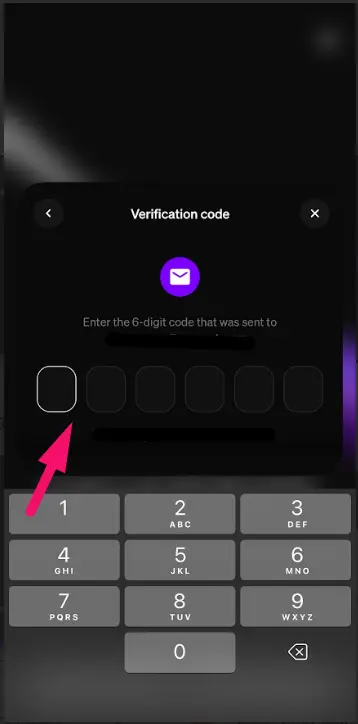
You will receive the code via email from Moonpay. Enter that code into this field.
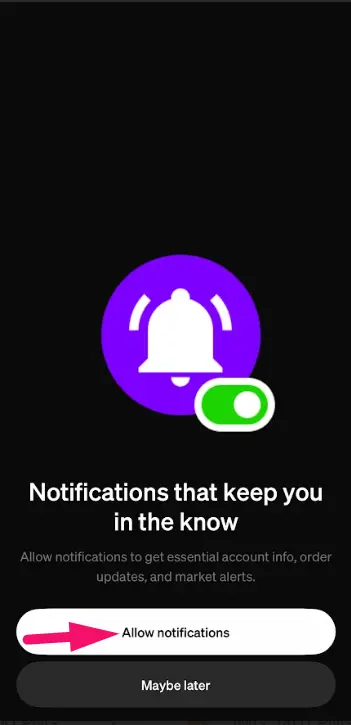
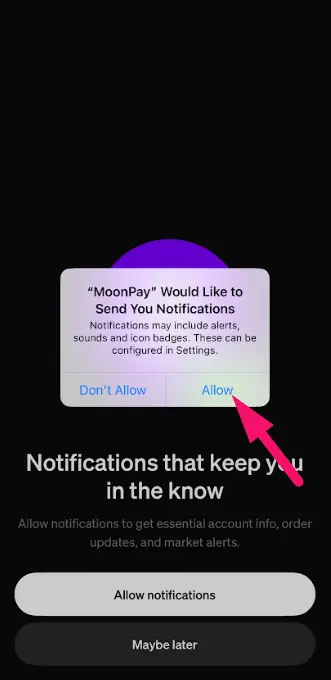
Press on Allow notifications, After that press on Allow.
Select Not yet. After that, press on Next.
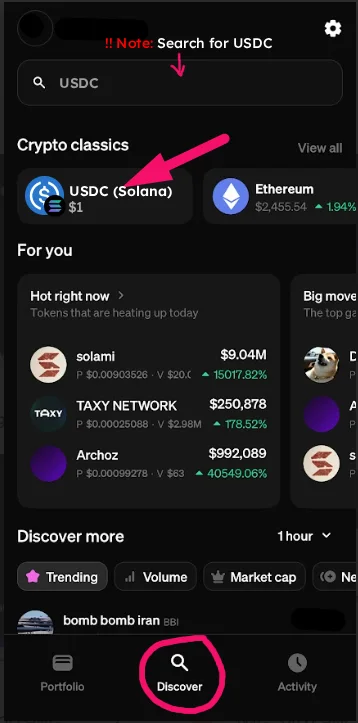
Click on “Discover,” then click on the search bar and search for “USDC (Solana)” (then choose it).
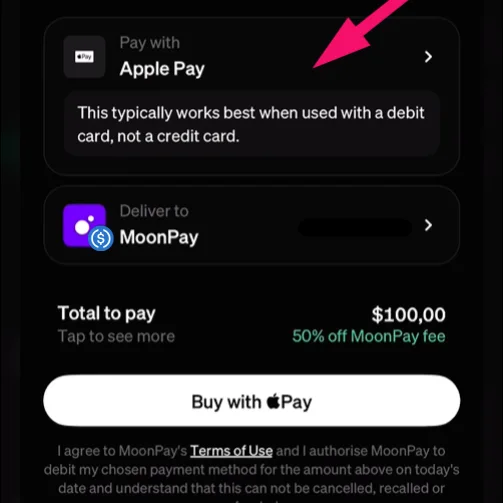
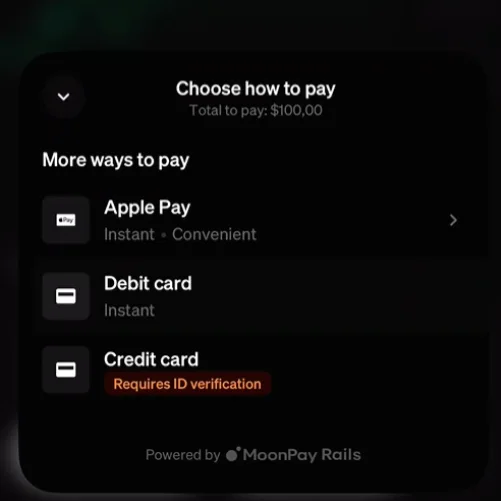
Press marked field and choose the payment option you prefer.
For us to receive your payment and activate the subscription you need to enter the correct USDC wallet address in this marked field.